Your CFO just asked the question that keeps every retail marketer up at night: “Can you prove that our digital marketing is actually driving people into our stores?”
You’ve got dashboards full of clicks, impressions, and website visits. But when it comes to connecting digital spend to in-store sales, that data trail goes cold at the store entrance.
If you’re a marketing director at a regional retailer, this isn’t just an uncomfortable board meeting question. It’s an existential threat to your budget. When you can’t prove ROI tied to real revenue, you’re always one bad quarter away from cuts.
But here’s the good news: The technology to track closed-loop ROI from digital impression to in-store transaction exists right now. This guide will show you exactly how to connect digital spend to in-store sales, so you can finally answer your CFO with confidence.
Understanding Closed-Loop ROI for Retail
Closed-Loop ROI is the ability to track a customer’s complete journey from their first digital interaction (seeing an ad, clicking a search result) all the way through to their in-store purchase, and then tie that purchase back to the specific marketing dollar that influenced it.
When closed-loop tracking exists, you can say: “We spent $5,000 on Google Ads in the Minneapolis market last week, and those ads directly generated $47,000 in tracked in-store sales, resulting in a 9.4x ROAS.”
Without closed-loop tracking, you’re stuck saying: “We spent $5,000 on Google Ads and got 12,000 impressions and 450 clicks.” One statement talks dollars. The other talks clicks.
Why does this matter? Leadership teams no longer accept “website traffic” or “brand awareness” as success metrics. They want the same financial accountability from digital marketing that they demand from every other department.
Why Closed-Loop ROI Drives Real Business Decisions
You can optimize spend with surgical precision. When you know that Google Shopping ads drive 12x ROAS while Facebook ads drive 3x ROAS, you move budget immediately. Without closed-loop data, you’re guessing.
You can prove your value to leadership in their language. CFOs don’t care about click-through rates. They care about revenue per dollar spent. When you walk into budget meetings with “$2.1M in tracked in-store sales on $180K spend,” you’re speaking their language.
You can scale winners and kill losers fast. Regional retailers operate on thin margins. You can’t afford to waste budget on channels that don’t drive store traffic. Closed-loop tracking lets you make evidence-based decisions in days, not quarters.
Step 1: Audit Your Current Attribution Capabilities
Before you can build closed-loop ROI tracking, understand what you can and can’t measure right now.
Actionable Steps:
- Map your current digital tracking (Google Ads clicks, website visits, email opens, landing page conversions)
- Assess your foot traffic data (door counters, WiFi analytics, or zero visibility?)
- Evaluate your POS transaction data (Can you export it? Does it include timestamps, store location, transaction amounts, and customer identifiers?)
- Identify where your data trail breaks (usually between “clicked our ad” and “walked into store #47”)
- Document your tech stack (Google Ads, Analytics, CRM, email platform, POS, inventory management)
What you’re looking for: The specific place where the chain breaks. That’s your starting point.
Step 2: Choose Your Closed-Loop Tracking Method

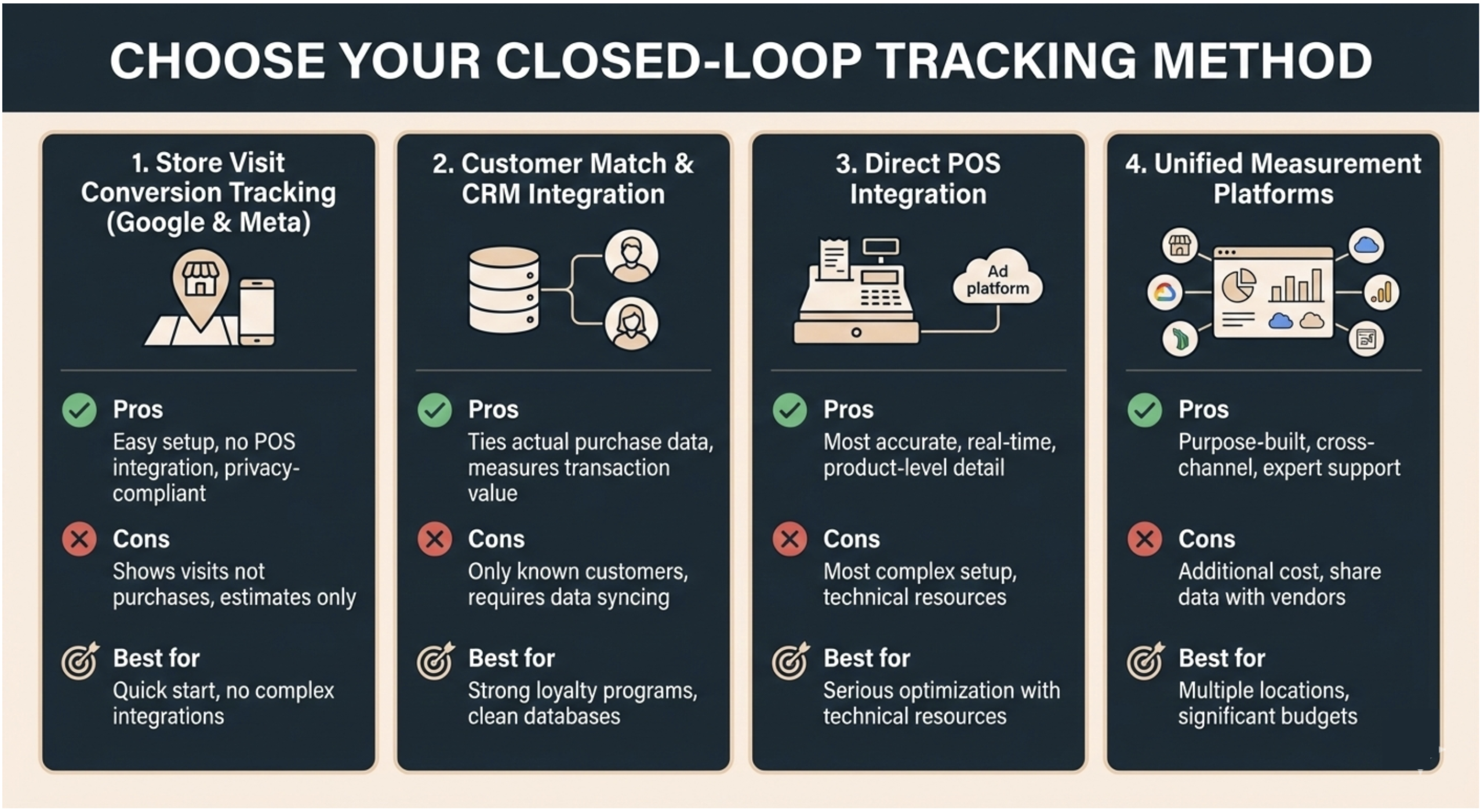
Method 1: Store Visit Conversion Tracking (Google & Meta)
Platforms track when devices that saw your ads later appeared at your store locations.
Pros: Easy setup, no POS integration required, privacy-compliant Cons: Shows visits not purchases, estimates rather than exact counts Best for: Quick start without complex integrations
Method 2: Customer Match & CRM Integration
Upload customer data to ad platforms, track when known customers make in-store purchases after seeing ads.
Pros: Ties actual purchase data to marketing, measures transaction value Cons: Only tracks known customers, requires regular data syncing Best for: Retailers with strong loyalty programs and clean customer databases
Method 3: Direct POS Integration
Connect your POS system directly to advertising platforms using APIs or third-party tools.
Pros: Most accurate, real-time reporting, product-level detail Cons: Most complex setup, requires technical resources Best for: Retailers serious about optimization with technical resources
Method 4: Unified Measurement Platforms
Use third-party platforms designed for omnichannel retail attribution (InMarket, Adentro).
Pros: Purpose-built for retail, cross-channel measurement, expert support Cons: Additional cost, requires sharing data with vendors Best for: Multiple locations with significant ad budgets wanting comprehensive measurement
Step 3: Implement Store Visit Tracking (Quick Win)
Start with store visit conversion tracking in Google Ads for directional foot traffic data.
Actionable Steps:
- Verify all Google Business Profiles are claimed and accurate
- Set up location extensions in Google Ads linking to your Business Profiles
- Enable store visit conversions (Tools > Conversions > Store Visits)
- Meet minimum thresholds (need thousands of clicks and hundreds of visits monthly)
- Wait 2-4 weeks for data accumulation
- Add store visits as conversion actions in campaigns
Step 4: Connect Your POS Data to Marketing Platforms
For true closed-loop ROI, connect actual transaction data from your POS to advertising platforms.
Actionable Steps:
- Audit your POS data structure. You need: transaction date/time, store location, transaction amount, and customer identifier (loyalty ID, phone, email, or device ID)
- Determine your identifier strategy. How will you match POS transactions to digital ads? Options: loyalty program ID, phone number, email address, credit card tokenization, device ID matching
- Choose your integration approach. Native POS integrations, third-party tools (Zapier, Segment), direct API development, or manual report uploads
- Build the data pipeline. Key considerations: data security and PCI compliance, sync frequency (real-time, hourly, daily), error handling
- Upload offline conversion data to Google Ads. Requires Google Click ID (GCLID), transaction timestamp, and transaction value
- Set up similar flows for Meta and other platforms using their offline conversion APIs
Built-in Flexibility Tip: Start with one or two high-volume locations to prove the data flow works, then scale.
Step 5: Establish Attribution Windows and Rules
Define clear rules for how to attribute sales to marketing actions.
Actionable Steps:
- Define your attribution window. Common windows: 1 day for promotional campaigns, 7 days for consideration campaigns, 30 days for brand awareness
- Choose an attribution model. Last-click, first-click, linear, time-decay, or data-driven models
- Set geographic matching parameters. Define the radius around each store (100-500 feet urban, up to 1 mile rural)
- Handle cross-location scenarios. Define rules for when someone clicks near Store A but visits Store B
- Document your methodology so everyone understands how sales are credited
Step 6: Build Reporting Dashboards That Speak “Dollars”
Build reporting that focuses on revenue, ROAS, and profit.
Actionable Steps:
- Create a unified dashboard using Looker Studio, Tableau, or retail analytics platforms
- Lead with revenue metrics:
- Total attributed in-store sales
- Marketing spend
- ROAS (Return on Ad Spend)
- Cost per store visit
- Average transaction value
- Break down by campaign and channel to enable reallocation decisions
- Include store-level detail to show which locations benefit most from digital marketing
- Add trend lines and comparisons showing month-over-month or year-over-year performance
- Automate reporting with weekly or monthly updates to stakeholders
Actionable Tip: Include an executive summary: “Last month, our digital marketing generated $X in tracked in-store sales on $Y spend, resulting in Z.Zx ROAS.”
Step 7: Optimize Campaigns Based on In-Store Performance
Use closed-loop data to make smarter investment decisions.
Actionable Steps:
- Identify high-ROAS campaigns and give them more budget
- Find and fix underperformers with high costs but low store visits or transaction values
- Test incrementally with geo-holdout tests, creative tests, and promo tests
- Adjust bidding strategies to ROAS-based bidding where platforms support it
- Expand winners to new markets when campaigns consistently deliver 8x+ ROAS
- Track product-level performance to inform both marketing and merchandising
The Recap: Your Closed-Loop ROI Roadmap

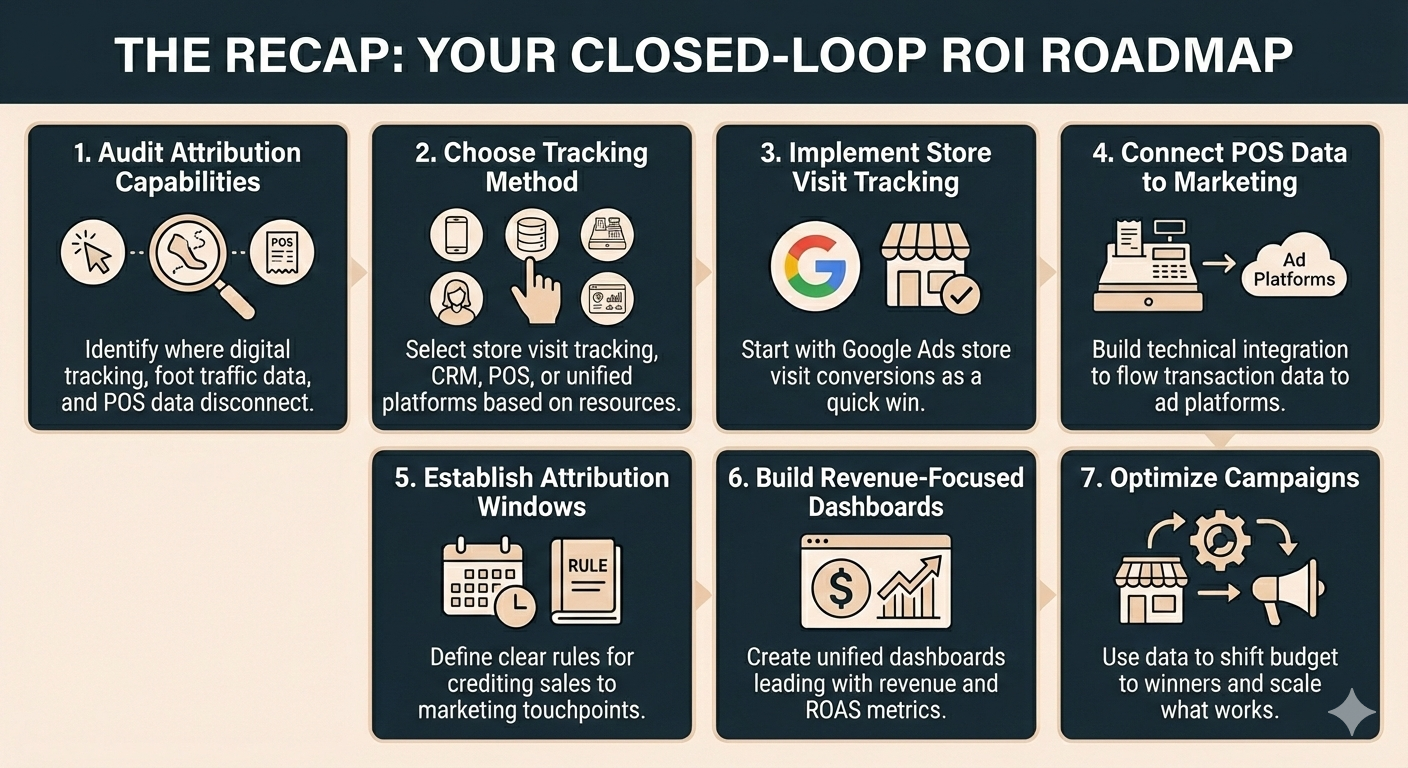
- Audit Your Current Attribution Capabilities: Identify where digital tracking, foot traffic data, and POS data disconnect.
- Choose Your Closed-Loop Tracking Method: Select store visit tracking, CRM integration, POS integration, or unified platforms based on your resources.
- Implement Store Visit Tracking: Start with Google Ads store visit conversions as a quick win.
- Connect Your POS Data to Marketing Platforms: Build technical integration to flow transaction data to ad platforms.
- Establish Attribution Windows and Rules: Define clear rules for crediting sales to marketing touchpoints.
- Build Reporting Dashboards That Speak “Dollars”: Create unified dashboards leading with revenue and ROAS metrics.
- Optimize Campaigns Based on In-Store Performance: Use data to shift budget to winners and scale what works.
Augurian: Have Confidence in Your Marketing ROI
At Augurian, we specialize in helping regional retailers implement closed-loop ROI tracking that connects digital spend to in-store revenue. We understand your POS systems, your marketing platforms, and the pressure you’re under to prove results to leadership.
Ready to stop defending your budget and start proving your value? Schedule a consultation.